One entry point for generation and editing
Create from text when no image is selected. After an upload, the prompt becomes an editing instruction without changing tools.
Create from a text prompt or edit one reference image with Nano Banana 2.1 selected by default, with 1K, 2K, and 4K output.
Nano Banana 2.1 model workspace
Released by Google on October 6, 2026, Nano Banana 2.1 updates its high-efficiency image generation and editing model. It is selected by default here. Create from text, or upload one reference image and describe changes to the subject, background, material, lighting, composition, or visible text.
The workspace provides a prompt, one reference image, seven common aspect ratios, and 1K, 2K, or 4K output. Use 1K to test a direction, 2K for everyday content, or 4K when the final visual needs closer inspection. The Generate button shows the credit cost before submission.
For reference-image editing, separate changes from details that must remain stable. Preserve product geometry, identity, pose, and camera angle while replacing the environment, palette, or poster title. Clear constraints make revisions easier to evaluate.
Nano Banana 2.1 prompt ideas
These images are prompt references, not fixed Nano Banana 2.1 outputs or guaranteed results. Break a direction into subject, layout, visible wording, material, color, and lighting, then rewrite the useful parts for your project.
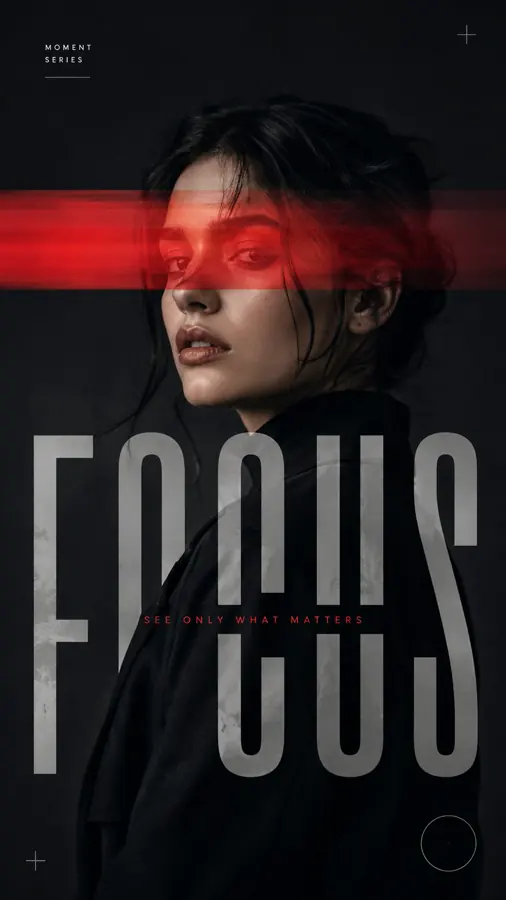
Specify exact copy, type hierarchy, subject placement, and negative space so text and image share a clear focal point.

Preserve the person and pose while redefining paper texture, decoration, color, and page structure.
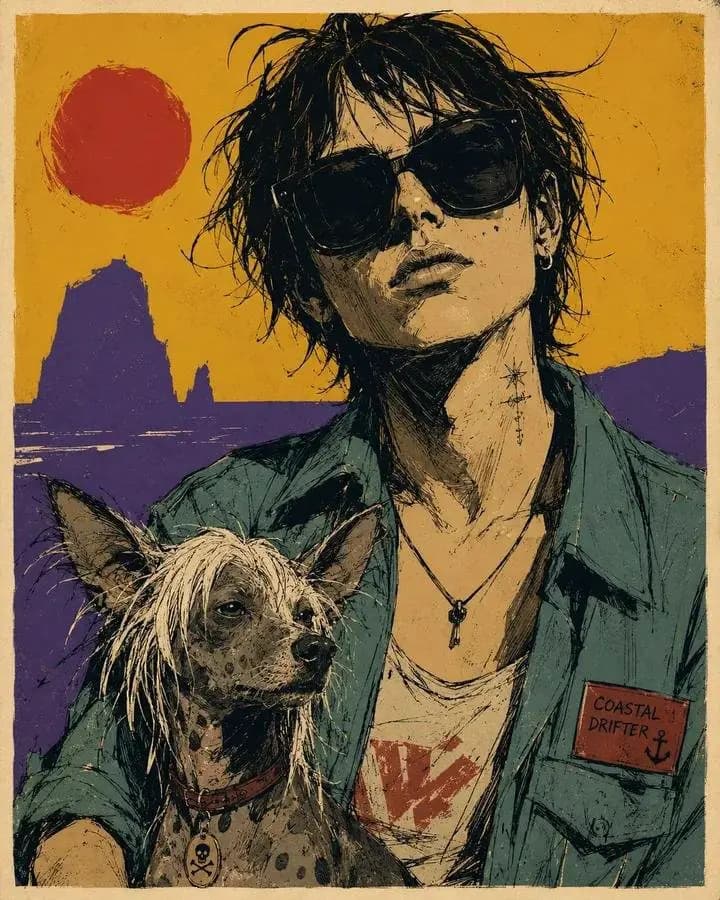
Lock the subject, clothing, and composition before changing brushwork, background, material, and visual language.
Nano Banana 2.1 workspace benefits
Create from text when no image is selected. After an upload, the prompt becomes an editing instruction without changing tools.
Use 1K for direction testing, 2K for everyday creative work, or 4K when the finished visual needs more output detail.
The action updates with the resolution cost, while provider credentials and technical request details remain on the server.
Nano Banana 2.1 improvements
Google positions Nano Banana 2.1 as its new high-efficiency workhorse. It retains Flash-level speed and cost efficiency while improving visual quality, prompt adherence, text rendering, multi-turn character consistency, and wide-format output. This focused workspace exposes one-shot generation and editing with 1K, 2K, and 4K resolution choices.
Follow visual requirements more accurately and improve lettering in posters, labels, and infographic layouts.
Improve character consistency and object detail for edits organized around a clearly preserved subject.
Improve quality at 1K, 2K, and 4K while addressing tiling artifacts in wide and panoramic formats.
Nano Banana 2.1 workflow
Move from prompt to download in four clear steps. The model is already selected when this page opens, so you can prepare the image task immediately.
Describe the image you want to create, or upload one JPG, PNG, or WebP image when you need to preserve a subject, product, pose, or composition.
Select one of the seven workspace aspect ratios, then choose 1K, 2K, or 4K output. The Generate button updates to show the credit cost.
Sign in and start the image task. Keep the prompt specific about what should change and what must remain consistent.
Inspect the finished result in the preview area, refine the prompt when needed, and download the generated image.
Nano Banana 2.1 use cases
Brand and marketing
Define brand color, subject placement, layout hierarchy, and exact wording for landscape, portrait, and square channels.
Product visuals
Upload a product image, preserve its silhouette, branding, and key material, then change the environment, surface, props, or light.
Portrait content
Keep identity, pose, and facial features while exploring new clothing color, photographic light, setting, or illustration style.
Visual information
Specify each text block, its related object, and reading order to prepare a clearer infographic or annotated visual.
Nano Banana 2.1 FAQ
Start with Nano Banana 2.1
Write a prompt or add one reference image, then confirm the aspect ratio, output resolution, and credit cost before submission.